Fusion Studio 21.1.2 is Here With Faster OGraf Playback and More Template Controls
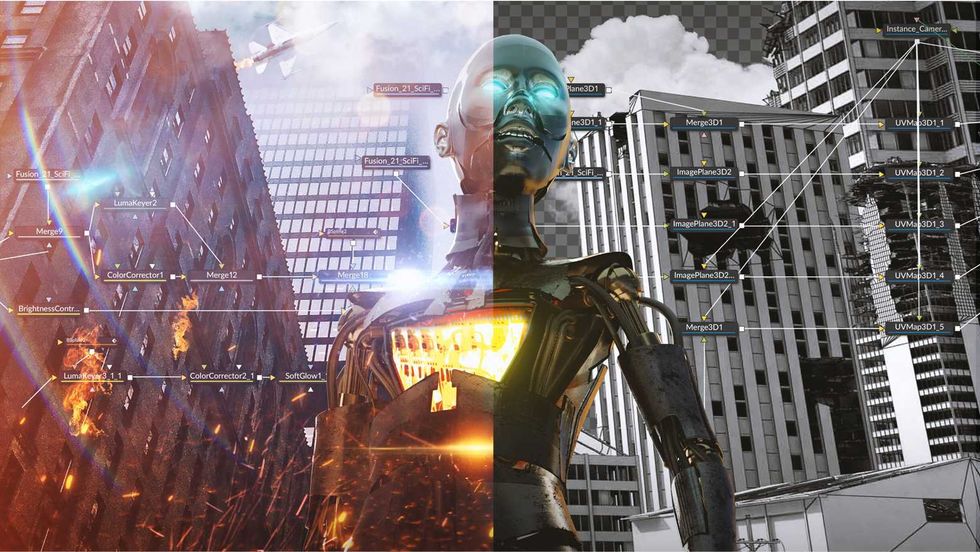
Alongside the news that Blackmagic Design released a major DaVinci Resolve update that speeds up and improves many of its AI tools, like IntelliSearch, the company has also revealed a host of updates coming to Fusion Studio with its own 21.1.2 update. Like the updates coming to DaVinci Resolve itself, Fusion is getting faster OGraf playback and more responsive templates that can adapt to aspect ra

Alongside the news that Blackmagic Design released a major DaVinci Resolve update that speeds up and improves many of its AI tools, like IntelliSearch, the company has also revealed a host of updates coming to Fusion Studio with its own 21.1.2 update.
Like the updates coming to DaVinci Resolve itself, Fusion is getting faster OGraf playback and more responsive templates that can adapt to aspect ratio. Fusion is also getting more template controls, plus your usual mix of performance and stability improvements.
Here’s everything you need to know.
Fusion Studio Update 21.1.2
It’s nice to see Blackmagic Design roll out so many updates and improvements for Resolve and Fusion,, apps and pages that show a lot of promise for video editors exploring what they can do with motion and 3D work these days.
The Fusion Studio updates here add up to four times faster OGraf playback, more responsive OGraf templates, and support for OGraf and Lottie graphics on Linux. The update also adds more template controls and fixes a handful of issues across features and scripts.
Here’s a full breakdown of everything new in Fusion Studio 21.1.2
- Addressed issue with channel names in Displace 3D.
- Addressed issue with running some Lua scripts.
- Addressed memory issue with some Perspective Positioner settings.
- Addressed issue with Mapped Duplicate 3D time mapping inputs.
- Addressed issue with selecting multiple titles clearing text.
- Addressed issue with dropdown controls not always creating undo events.
- Addressed issue with Follower animation using expressions.
- Addressed issue with very small erode dilate levels.
- Addressed issue with Film Look Creator gate weave controls.
- Addressed issue with some scripts on ARM64 systems.
- Addressed issue with slow reading of large EXR headers.
- Addressed issue with OGraf custom text field sizes.
- Support OGraf dropdown choice parameters.
- Support OGraf rendering on Linux.
- Improved OGraf inspector action controls.
- General performance and stability improvements.
Download and Install
To learn more, review everything about this new Fusion Studio 21.1.2 update, including minimum system requirements and how to download and install it, on the company’s website here.