StreamBroadcaster · Channel playbook

Your own TV channel.
Eight ways to make it yours.

Daily workouts. Sunday services. Film nights. Moments that bring a community together. Start with the videos and live events you already create, then give them a lineup viewers can return to.

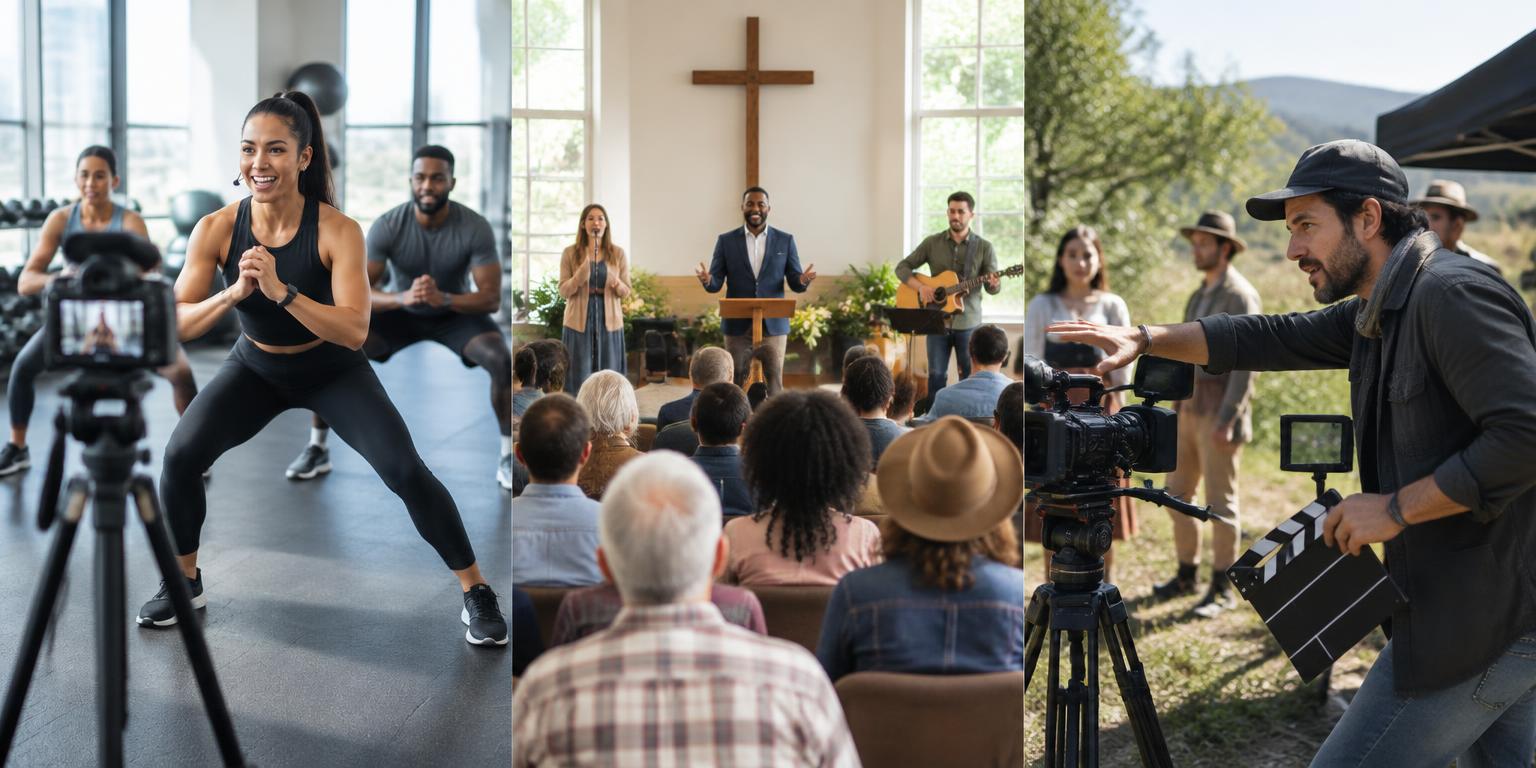
Illustrative fitness class, community church service and independent film production

Illustrative setups and sample times, not customer testimonials. Feature access varies by plan.

01Daily routines

Fitness coaches

A fitness coach can turn recorded workout episodes into a daily TV lineup, with strength, cardio and recovery blocks viewers can return to each day.

Build the channel

Upload your own workouts, add titles, thumbnails and durations, then preview a seven-day schedule. Use themed blocks and repeat controls to balance the week.

Grow at your own pace

Keep introductory sessions public and consider member-access videos for a deeper library. Check the current plan features before choosing live production tools.

Use music you have permission to broadcast and include appropriate exercise safety guidance.

Sample lineup

  • 07:00 · Morning mobility
  • 12:00 · Express strength
  • 18:00 · Full-body workout
  • 20:00 · Stretch & recovery

A plan to compare: Creator

02Live + on demand

Churches & faith communities

A church can combine live services with an on-demand sermon library, then schedule past sermons, devotionals and community updates between services.

Build the channel

Connect a live source for services and upload approved recordings as separate videos. Give each sermon a speaker, date, description and thumbnail; schedule replays for viewers in other time zones.

Grow at your own pace

Share a public channel page and keep a searchable video library. Compare plans for the live studio, destinations and storage your ministry actually needs.

Get consent before showing attendees, and confirm music and sermon distribution rights.

Sample lineup

  • 09:00 · Weekly devotional
  • 10:00 · Sunday service · live
  • 14:00 · Sermon replay
  • 19:00 · Community update

A plan to compare: Pro

03Premieres & catalogs

Independent filmmakers

An independent filmmaker can schedule original films, trailers and behind-the-scenes programs while offering eligible videos through the platform’s member-access settings.

Build the channel

Build a rights-cleared catalog, add posters and running times, and arrange a premiere or recurring film night. Completed AI films can also be added to channel rotation.

Grow at your own pace

Use public trailers to introduce your work and compare membership access with selling digital products through your storefront. Platform memberships are not a separate filmmaker-owned subscription service.

Native ticketed pay-per-view is not currently offered. A digital-product purchase is not a pay-per-view player unlock. AI tools use your own provider keys; provider costs may apply.

Sample lineup

  • 17:00 · Trailer showcase
  • 18:00 · Short film collection
  • 20:00 · Feature premiere
  • 21:30 · Director conversation

A plan to compare: Pro

04Ceremonies & keepsakes

Wedding videographers

A wedding video provider can broadcast a ceremony for distant guests and publish an approved highlights or replay library afterward.

Build the channel

Test the venue connection and live source, prepare a holding video and collect the couple’s approval for each recording. Publish only the material approved for your chosen audience.

Grow at your own pace

Compare live-production features and storage before committing to a client package. Treat an event channel as a publishing workflow, not a private invitation system.

An unlisted link is not privacy protection. Confirm access controls before offering private viewing, and obtain permission for guests and music.

Sample lineup

  • Before · Couple-approved welcome
  • Ceremony · Live coverage
  • After · Approved highlights
  • Later · Replay collection

A plan to compare: Pro

05Respectful remote attendance

Funeral & memorial providers

A funeral provider can offer live memorial coverage and family-approved recordings for people unable to attend, subject to consent and suitable access controls.

Build the channel

Agree on who may watch, what may be filmed and how long a recording may remain available. Test audio carefully and publish only after the family’s approval.

Grow at your own pace

Evaluate live production and storage requirements with your service team. Keep sensitive ceremonies separate from any public promotional channel.

The public directory is not suitable for confidential memorials. Authenticated or member access is not a family-specific guest list; verify an appropriate private-delivery solution first.

Sample lineup

  • Before · Family-approved tribute
  • Service · Live memorial
  • After · Approved recording
  • Archive · Selected remembrance videos

A plan to compare: Pro

06Sets & community

DJs & music-event creators

A DJ can build a channel around rights-cleared live sets, artist interviews, tutorials and event replays, with scheduled programs between broadcasts.

Build the channel

Separate original tutorials and interviews from licensed performances. Add clear episode details and schedule shows around your audience’s local time.

Grow at your own pace

Use public tutorials to attract listeners, then explore tips, merchandise and audience tools where your plan and content rights allow.

Buying a track or holding a venue performance license does not automatically grant online broadcast or replay rights.

Sample lineup

  • 15:00 · Mixing workshop
  • 17:00 · Artist interview
  • 20:00 · Licensed live set
  • 22:00 · Event replay

A plan to compare: Creator

07Matches & highlights

Amateur sports clubs

An amateur sports club can combine live match coverage with highlights, coaching videos and scheduled replays so fans have programming between fixtures.

Build the channel

Prepare your live feed, use accurate fixture times and upload approved replays after matches. Build themed blocks around teams, training and upcoming fixtures.

Grow at your own pace

Share public games where permitted and consider original merchandise or sponsor opportunities. Compare production features before planning multi-person coverage.

Confirm league, venue and athlete permissions; get guardian consent for minors and check sponsorship rules.

Sample lineup

  • 10:00 · Coaching session
  • 14:00 · Match coverage · live
  • 18:00 · Approved highlights
  • 20:00 · Full-match replay

A plan to compare: Pro

08Learning & celebrations

Schools & event organizers

A school can schedule approved lessons, assemblies, performances and event replays on a channel, while broadcasting selected events live for its community.

Build the channel

Choose staff-approved recordings, add accessible descriptions and prepare a weekly lineup. Review each event’s audience and consent requirements before publishing.

Grow at your own pace

Start with a small approved library; compare paid plans when your production, storage or organization needs expand.

Follow safeguarding and student privacy policies. Do not publish identifiable children without required consent or treat a public channel as a secure school portal.

Sample lineup

  • 09:00 · Learning spotlight
  • 12:00 · Approved assembly
  • 16:00 · Club showcase
  • 19:00 · Event replay

A plan to compare: Creator

Pick the next step, not the biggest plan

Start small. Build a regular audience.

Start here

Free

Explore your first channel and the publishing workflow.

View current plan

Build your catalog

Creator

Compare allowances for a growing original-video library.

View current plan

Plan spotlight

Pro

Compare production tools for regular live shows and premieres.

View current plan

Scale your operation

Broadcaster

Compare capacity for a larger, established channel operation.

View current plan

See the plans page for current prices, storage, limits and included tools. Upgrade or cancel anytime. YouTube-built channels stay free and are excluded from revenue sharing.

Questions before your first broadcast

How do I manage my own TV channel?
Choose a live source or video library, add branding and complete episode details, build a program guide, then publish and review your lineup regularly. StreamBroadcaster offers manual scheduling, a free built-in arranger and optional AI scheduling using your own provider key.
Can I mix live broadcasts with recorded videos?
Yes. You can publish live broadcasts alongside a recorded catalog and schedule approved videos into a TV-style lineup. Review the live event and replay schedule so viewers know where and when to watch.
Can I charge for my films or run private events?
Eligible videos support authenticated or platform-member access. Native ticketed pay-per-view and event-specific invitation lists are not currently offered. A public channel link is not private delivery; confirm appropriate access controls before offering a confidential event.
Which plan should I choose for a channel?
Start with Free to explore the workflow and compare Creator, Pro and Broadcaster against current storage, production and feature allowances on the plans page. These are suggested starting points, not guaranteed feature bundles or claims about customer popularity.
Can YouTube channels earn revenue here?
YouTube-built channels are free and excluded from revenue sharing. They use YouTube embeds and the owner’s YouTube Data API key. Original-content monetization requires the appropriate rights and available tools.

Make your first week of programming.

  • Choose approved videos
  • Add your channel identity
  • Preview your lineup